Navigating the modern floor-care market can feel overwhelming, especially when shopping for a high-end robotic cleaner. As you shop for automated floor care in 2026, Roborock remains a dominant force in the industry, offering everything from entry-level sweepers to fully autonomous cleaning stations that manage both dust and water without human intervention. However, paying top dollar for features you do not need is a common pitfall that leaves buyers frustrated with over-complicated technology.
To find the ideal machine for your living space, you need to cut through the marketing noise and focus on the hardware and software components that directly impact daily performance. Whether you live in a compact apartment with pets or a sprawling multi-story home with a mix of hardwood and thick carpets, understanding what actually matters will save you money and secure a cleaner home without unnecessary buyer’s remorse.
As an Amazon Associate we earn from qualifying purchases at no extra cost to you.

Understanding Navigation: LiDAR Versus Optical Sensors
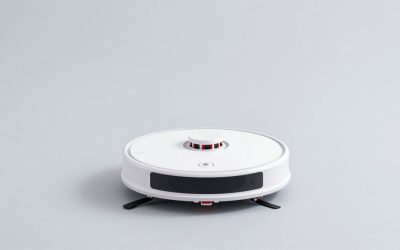
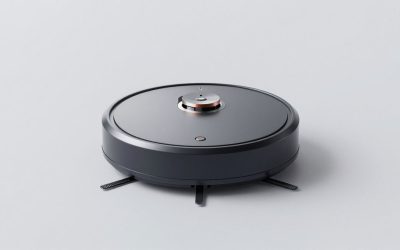
The brain of any robotic vacuum is its navigation system. Older or budget models often rely on bump-and-go navigation or random movement patterns, which is terribly inefficient and frequently leads to missed spots. Modern Roborock lineups lean heavily on LiDAR (Light Detection and Ranging) lasers or advanced optical cameras to map your home with pinpoint accuracy on the very first run.
LiDAR towers mounted on top of the vacuum excel in complete darkness and map out floor plans rapidly without needing ambient light. On the other hand, camera-based systems paired with structured light are generally better at identifying tiny, low-profile obstacles like stray charging cables, socks, or pet toys scattered across the floor. If your household tends to have a lot of floor clutter, prioritize advanced obstacle avoidance technology over raw mapping speed.
Evaluating Docking Stations: Convenience Versus Footprint
One of the biggest shifts in robotic cleaning is the evolution of the charging dock. Basic docks simply juice up the battery, while mid-tier docks automatically empty the dustbin into an enclosed bag so you only have to touch it every few weeks. Premium docks handle dust collection, wash the mop pads with heated water, dry them thoroughly with hot air, and refill the onboard water tank automatically.
While these multi-functional docks offer unmatched hands-off convenience, they also have a massive physical footprint and require regular maintenance of their internal dirty and clean water tanks. Consider your tolerance for station maintenance and available space before committing to an all-in-one tower that requires dedicated floor space in a utility room, hallway, or kitchen corner.
Mopping Performance: Sonic Vibration Versus Dual Spinners
Roborock approaches hard floor cleaning with different engineering philosophies depending on the model tier. Some units utilize high-frequency sonic vibrating mopping pads that scrub dried-on stains by rapidly oscillating back and forth against the floor. Other configurations use dual rotating mop pads that press down firmly and spin to lift stubborn grime.
If your home features mostly hard flooring with frequent kitchen spills, a robust mopping mechanism is crucial to your purchasing decision. Keep in mind that robotic mops are fundamentally designed for daily maintenance rather than heavy-duty deep scrubbing, though the highest-end configurations come remarkably close to manual hand-mopping results.
Carpet Handling and Suction Power
Raw suction ratings look fantastic on paper, but real-world cleaning performance depends heavily on brushroll design and carpet clearance. Roborock units typically feature all-rubber multi-directional rollers that resist hair tangles exceptionally well compared to traditional bristle brushes, making them ideal for pet owners.
When the vacuum encounters a carpet, it should automatically ramp up suction power to pull embedded dirt from deep fibers. If your home features thick carpets or heavy shedders, look for models featuring dedicated carpet-boost technology and strong static pressure ratings rather than just focusing on maximum airflow numbers.
Battery Management and Multi-Floor Mapping
Battery capacity dictates how much square footage a vacuum can cover on a single charge. Most mid-to-high tier Roborocks easily handle large living areas on standard mode, returning to their base to recharge and resume cleaning seamlessly if they run low mid-cycle.
For multi-story homes, application software matters just as much as the battery size. Ensure the companion app supports multi-level mapping so the robot can recognize which floor it is on without requiring a complete remap every time you carry it up or down the stairs.
Smart App Features and Privacy Controls
The companion smartphone app is where you configure no-go zones, invisible walls, cleaning schedules, and room-specific cleaning parameters. A reliable app allows you to tweak water flow rates for specific rooms—using heavy water in the kitchen and low water on delicate hardwood floors.
Security is also worth noting during your evaluation; look for apps that offer robust privacy controls, local map storage options, and secure cloud encryption if you are cautious about smart home data sharing and camera feeds in private spaces.
When to Splurge Versus When to Save
Determining your budget ultimately comes down to your floor plan and personal cleaning habits. If your home has minimal rugs, no shedding pets, and an open layout, a mid-range model without a self-washing dock will deliver fantastic daily value without unnecessary expenditures.
Conversely, if you live in a busy household with multiple shedding pets, thick carpets, and high-traffic entryways, investing in a flagship model with advanced obstacle avoidance and a self-maintenance dock pays off dividends in time saved and overall floor hygiene.
Related Guides
To explore more floor-care options that fit your specific cleaning needs, check out our expert roundups including our favorite Roborock brand comparisons. If you are shopping on a tight budget, you can browse our affordable vacuum cleaner selections or find specialized relief via our budget allergy-friendly floor care guide.
FAQ
Do Roborock vacuums require Wi-Fi to function?
No, you can operate most Roborock vacuums offline by pressing the physical power button on the unit itself. However, you will lose access to advanced features like custom room mapping, scheduling, and cleaning mode adjustments which require the companion app.
How often should I clean the sensors on my Roborock?
It is best to wipe down the cliff sensors, LiDAR window, and charging contacts with a dry, microfiber cloth every month. Homes with heavy dust or shedding pets may require bi-weekly cleaning to prevent navigation errors.
Can I use third-party cleaning solutions in the mopping tank?
You should only use Roborock-approved cleaning solutions formulated specifically for their water tanks. Harsh chemical detergents, vinegar, or foaming soaps can clog the internal pumps and degrade plastic reservoir components, often voiding your warranty.
Are Roborock vacuums safe for high-pile carpets?
Yes, most models can navigate medium-pile carpets easily, though ultra-thick high-pile rugs can sometimes trigger wheel-slip errors or lower the chassis too much. You can use the app to draw no-go or no-mop zones around delicate or high-pile rugs to prevent them from getting stuck.