
Key takeaways
- Confirm the actual category: The jacket or product specification should identify Cat 6, not just “high speed” or “Ethernet.”
- Choose copper conductors: Avoid CCA, especially for permanent wiring and Power over Ethernet (PoE). Check the specification rather than relying on “copper” in the product name.
- Match solid or stranded cable to the job: Solid for fixed bulk runs and compatible punch-down hardware; stranded for flexible patch leads and plugs designed for stranded conductors.
- Inspect connector fit: A molded or crimped RJ45 plug should latch securely, with no visibly crooked contacts or loose strain relief. For bulk cable, use jacks made for its conductor gauge and type.
- Do not force tight bends: Keep bends gentle and avoid staples that flatten or crush the jacket. Follow the cable manufacturer’s bend-radius guidance if it is stricter than the general four-times-diameter rule.
- Use the right jacket rating: Match in-wall, riser, or plenum requirements to the route and local building code.
Best Cat 6 Ethernet Cables for Home Networks
The best Cat 6 Ethernet cable for most home networks is a correctly rated, pure-copper cable with 23 or 24 AWG conductors, solid construction for permanent in-wall runs or stranded construction for flexible device leads, and a length that stays within the 100-meter Ethernet channel limit. Choose unshielded cable for ordinary homes; pay extra for shielding only when the route passes near substantial electrical interference and the installation can ground it correctly.
What matters more than the package speed claim
Cat 6 is rated for 250 MHz bandwidth and supports 1 Gb/s Ethernet up to 100 meters (328 feet). It can support 10 Gb/s over shorter runs—commonly up to about 55 meters (180 feet)—but that performance depends on installation conditions and interference. A cable labeled “10G” does not make a router, switch, or network port faster, and Cat 6 does not guarantee 10 Gb/s across every 100-meter route.

Cable Matters 10Gbps Snagless Cat 6 Ethernet Cable, 30ft, Black
Included for 'Best Cat 6 Ethernet Cables for Home Networks' because the listing specifies 30ft and Black, details this guide uses to compare options.
View on Amazon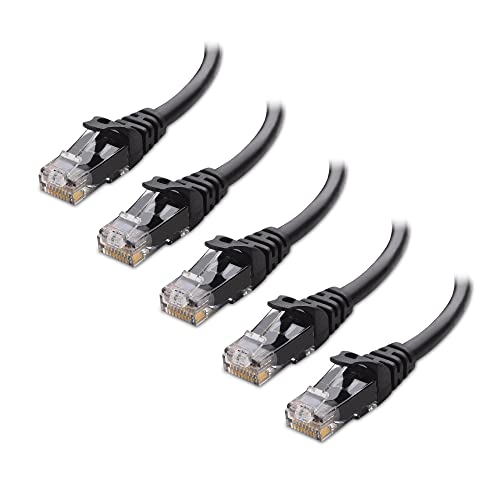
Cable Matters 10Gbps 5-Pack Snagless Cat 6 Ethernet Cable, 6ft, Black
Included for 'Best Cat 6 Ethernet Cables for Home Networks' because the listing specifies 6ft and Black, details this guide uses to compare options.
View on Amazon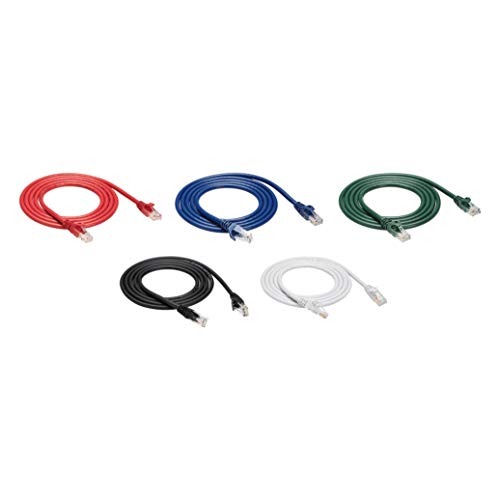
Amazon Basics 10Gbps High-Speed Cat6 Ethernet Patch Internet Cable, RJ45, Gold-Plated Connectors, Snagless, 5 Foot, 5-Pack Multicolor
Included for 'Best Cat 6 Ethernet Cables for Home Networks' because the listing specifies RJ45 and Gold-Plated Connectors, details this guide uses to compare options.
View on Amazon
DbillionDa Cat 8 Ethernet Cable, 6FT 40Gbps 2000MHz RJ45 LAN Cable
Included for 'Best Cat 6 Ethernet Cables for Home Networks' because the listing specifies 6FT 40Gbps 2000MHz RJ45 LAN Cable, details this guide uses to compare options.
View on AmazonFor a reliable purchase, check the cable category, conductor material, length, construction, and intended installation. “CCA” means copper-clad aluminum; it is not the same as solid copper and is a poor choice for permanent Ethernet wiring. Also distinguish a patch cable, designed to connect equipment, from bulk cable intended to be terminated at wall jacks or patch panels.
| Use case | Recommended cable | Length and route | Why it fits |
|---|---|---|---|
| Router to nearby TV, console, or desktop | Unshielded stranded-copper Cat 6 patch cable | 1–10 m (3–33 ft), along a baseboard or behind furniture | Flexible enough for device movement; no shielding complexity |
| Permanent run to a room wall jack | Solid bare-copper Cat 6 bulk cable, matched to the jacks | Measure the actual path; keep the complete channel within 100 m | Solid conductors suit fixed wiring and punch-down terminations |
| Route near motors, fluorescent ballasts, or other strong interference | Shielded Cat 6, with compatible shielded connectors and grounding | Use only where the installation supports proper bonding | Screening may reduce interference when the whole link is installed correctly |
| Temporary cable across a room | Flexible stranded patch cable with a protective floor cover | Use the shortest safe path; avoid doorways and walking lines | More practical to coil and move, but still a trip and crush hazard |
Best Cat 6 cable types by situation
For everyday device connections: unshielded stranded patch cable
For a router-to-computer connection or a console beside a media unit, choose an unshielded twisted-pair (UTP) patch cable made from stranded copper. Stranded conductors tolerate repeated bending better than solid conductors, making them suitable for equipment that may be moved for cleaning or rearranged. A 3-meter (10-foot) cable is often enough for devices in the same area; measure from port to port along the intended route rather than estimating a straight-line distance.
Look for snagless boots that protect the connector latch, but avoid bulky molded ends if the cable must pass through a tight opening. The RJ45 plug should seat firmly and release without excessive force. A boot can reduce latch breakage, but it does not make a weak or poorly fitted connector electrically better.
For in-wall wiring: solid-copper bulk cable
For a permanent run between rooms, use solid bare-copper Cat 6 cable and terminate it at compatible keystone jacks or a patch panel. Solid cable is designed to stay in place; it is less suited to frequent flexing at a device. Use a short stranded patch cable from the wall jack to the router, switch, or computer.
Choose a cable jacket rated for the installation location. In the United States, in-wall runs commonly require an appropriate building-rated jacket, such as CMR for risers between floors or CMP for plenum spaces, where local code calls for it. Those ratings are not interchangeable, and requirements vary by location. Do not route ordinary patch cable inside walls or through air-handling spaces unless its markings and local rules allow it.
For electrically noisy routes: shielded cable only when the system supports it
Shielded twisted-pair (STP) cable can be useful in a carefully designed run near sources of electromagnetic interference. It is not automatically a better home-network choice: the cable, connectors, jacks, and grounding arrangement need to be compatible. An improperly installed shield may offer little benefit and can create grounding problems. If the route is an ordinary household path, UTP is usually simpler and adequate.
Check the route, not just the cable length
Measure along the route the cable will actually follow: around furniture, down a wall, and through any planned raceway. Leave a little slack at each end for connecting and repositioning equipment, but do not coil a large excess tightly behind a router. Ethernet’s standard maximum channel length is 100 meters (328 feet), including patch leads; the permanent cable segment is generally limited to 90 meters (295 feet) in a structured-cabling channel.
For a floor route, a flat cable may slip under some rugs more easily, but it can be harder to protect from crushing, sharp folds, and foot traffic. Do not put a cable beneath a rug in a walking path or pinch it under furniture legs. A low-profile surface raceway along a wall is usually safer and easier to maintain. At doorways, use a proper cable protector or choose another route rather than trapping the cable beneath a closing door.
| Installation check | Useful figure or practice | Why it matters |
|---|---|---|
| Maximum Ethernet channel | 100 m (328 ft), including patch leads | Longer channels may not meet the standard’s performance limits |
| Permanent structured-cabling segment | Up to 90 m (295 ft) | Leaves room for patch leads at both ends |
| Cat 6 bandwidth rating | 250 MHz | Bandwidth rating is not the same as the negotiated network speed |
| Typical Cat 6 bend guidance | Keep bends at least 4 times the cable’s outside diameter, unless its manufacturer specifies otherwise | Tight bends can deform pairs and impair signal performance |
| Power-cable separation | Follow local code and cable-maker guidance; avoid long parallel runs beside mains wiring | Spacing reduces interference risk and helps meet installation rules |
Connector and construction checks before buying
- Confirm the actual category: The jacket or product specification should identify Cat 6, not just “high speed” or “Ethernet.”
- Choose copper conductors: Avoid CCA, especially for permanent wiring and Power over Ethernet (PoE). Check the specification rather than relying on “copper” in the product name.
- Match solid or stranded cable to the job: Solid for fixed bulk runs and compatible punch-down hardware; stranded for flexible patch leads and plugs designed for stranded conductors.
- Inspect connector fit: A molded or crimped RJ45 plug should latch securely, with no visibly crooked contacts or loose strain relief. For bulk cable, use jacks made for its conductor gauge and type.
- Do not force tight bends: Keep bends gentle and avoid staples that flatten or crush the jacket. Follow the cable manufacturer’s bend-radius guidance if it is stricter than the general four-times-diameter rule.
- Use the right jacket rating: Match in-wall, riser, or plenum requirements to the route and local building code.
Which one should you choose?
For a short connection behind a desk or media cabinet, buy a copper UTP stranded patch cable in the measured length, with a connector boot that fits the available clearance. For a new permanent run between rooms, buy solid-copper bulk Cat 6 with the correct building rating, then terminate it at jacks and use short patch leads at the equipment. For a route exposed to strong electrical interference, consider shielded cable only after confirming that the entire link can be properly terminated and grounded.
If the main goal is faster internet, first check the speed of your router, switch, computer port, and internet plan. A Cat 6 cable can provide a dependable wired connection, but it cannot raise a link beyond the capabilities of the devices at either end.
