Key takeaways
- Tap the filter over a trash can after each run to knock loose dust free.
- Rinse washable filters every 2 to 4 weeks and dry them 24 hours before reuse.
- Replace filters every 2 to 3 months, sooner in homes with shedding pets.
- Keep a spare set on hand, since multipacks like the BR151 parts kit are inexpensive insurance against a clogged, weak-suction machine.
A robot vacuum only stays impressive if you maintain it. Owners who ignore the brushes and filters usually watch suction fade within a few months, then blame the machine when the real culprit is a felt of tangled hair on the roller. Whether you run a budget model or a self-emptying flagship, ten minutes of upkeep a week keeps a robot cleaning like the day you unboxed it.
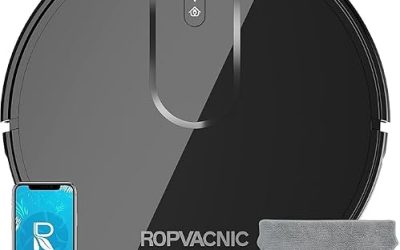
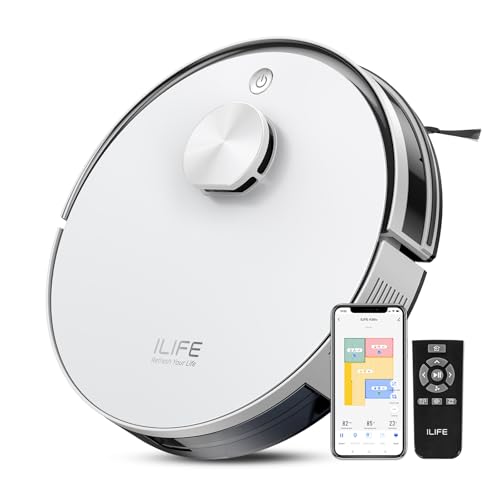
This guide walks through the exact maintenance schedule that keeps suction strong, sensors accurate, and batteries healthy, from daily bin checks to seasonal deep cleans. It applies to popular units like the eufy 11S MAX, ILIFE A30s, Tikom G8000 Max, and the self-emptying roborock Q7 M5+, and it flags when swapping in replacement brushes, filters, and mop pads is cheaper than buying a new robot.
Our top picks




As an Amazon Associate we earn from qualifying purchases at no extra cost to you. Ratings are shown as listed on Amazon.
⚡ Save on Your Next PC — Amazon Prime
Prime members get fast free shipping on the systems above, plus early access to Prime Day & Black Friday PC deals. New members get a 30-day free trial.
Watch: How to Maintain Your Robot Vacuum for Peak Performance — Video Review
Empty and Clean the Dustbin Regularly
For non-self-emptying models like the eufy 11S MAX or ILIFE A30s, empty the bin after every run, or at least daily in a pet household. A packed bin chokes airflow and drops effective suction fast, even on a 10,000Pa machine. Rinse the bin under water only if the manual allows it, and always let it dry fully before reinserting so you never trap moisture against the filter.
Self-emptying units such as the roborock Q7 M5+ push debris to a base station that holds several weeks of dirt, but you still need to check the dock bag and replace it when full so the auto-empty cycle keeps working.
Keep Brushes Free of Hair and Debris
The main roller and side brushes are where performance lives or dies. Hair, thread, and carpet fibers wrap the roller ends and jam the bearings, so pop the brush out weekly and cut the wraps away with the included tool or small scissors. Side brushes bend over time and fling debris instead of sweeping it, which is why kits like the 15-pack BR151 replacement set or the multi-brand side-brush-and-filter bundle exist. Swap brushes every 3 to 6 months for consistent edge cleaning.
Wash or Replace Filters on Schedule
- Tap the filter over a trash can after each run to knock loose dust free.
- Rinse washable filters every 2 to 4 weeks and dry them 24 hours before reuse.
- Replace filters every 2 to 3 months, sooner in homes with shedding pets.
- Keep a spare set on hand, since multipacks like the BR151 parts kit are inexpensive insurance against a clogged, weak-suction machine.
Care for Sensors, Wheels, and Mop Pads
Cliff sensors and the charging contacts collect a haze of dust that makes a robot behave erratically or fail to dock. Wipe them with a dry microfiber cloth weekly. Check the drive wheels and caster for tangled hair too, since a bound wheel throws off navigation. For combo units like the Tikom G8000 Max that mop, rinse the reusable pads after each mop run and replace disposable pads regularly so you are spreading clean water, not grime.
Protect the Battery
Lithium batteries last longest when the robot lives on its dock between runs rather than sitting at a low charge for weeks. If you store the vacuum for a month or more, charge it to around half first. Running the machine at least a couple times a week also keeps the cells exercised, which matters on long-runtime models advertising 150 minutes per charge.
Tips
- Pick up cords, socks, and small toys before a run so the brush never jams mid-cycle.
- Keep a labeled bag of spare filters, brushes, and mop pads so replacements are painless.
- Run maintenance on the same day each week so it becomes a 10-minute habit.
- Update the companion app firmware, since navigation and battery fixes ship in updates.
Frequently Asked Questions
How often should I replace robot vacuum brushes?
Plan on new side brushes and a main roller every 3 to 6 months, sooner in pet homes where hair wraps tightly. Multipacks like the BR151 replacement kits make this cheap, and fresh brushes restore edge and carpet pickup noticeably.
Why is my robot vacuum losing suction?
The usual causes are a full bin, a clogged filter, or hair wrapped around the roller and wheels. Work through those three in order. A 10,000Pa machine can feel weak simply because airflow is blocked, not because the motor is failing.
Can I wash the filter?
Only if the manual lists it as washable. If so, rinse under water, shake it out, and let it dry a full 24 hours before reinstalling. Putting a damp filter back can grow mildew and damage the motor.
Do self-emptying models still need maintenance?
Yes. The dock handles bin emptying, but you still clean the roller, side brushes, filters, sensors, and wheels, plus replace the dock bag when it fills. Self-emptying reduces daily chores, it does not eliminate upkeep.
Conclusion
Peak robot-vacuum performance is almost entirely a maintenance story: empty the bin, clear the brushes, wash or swap the filter, wipe the sensors, and mind the battery. Keep a small stash of replacement brushes, filters, and mop pads, run through the checklist weekly, and even a modest unit will keep suction strong for years instead of fading after a single season.