Key takeaways
- Temperature and humidity: Use a shaded, ventilated position. Avoid enclosed porch corners and direct contact with masonry that heats in the sun.
- Rain: Keep the gauge level and unobstructed by roof edges, branches, or walls. Check it occasionally for leaves and insects.
- Wind: Mount as high and exposed as your property allows. A sensor near a fence or house measures local turbulence, not open-site wind.
- Console: Place it where the screen is easy to read and away from heat sources. Test wireless reception before permanently fastening outdoor equipment.
The best home weather stations for accurate readings match your site’s exposure, required measurement range, and preferred power and connectivity—not simply the number of sensors they advertise. For most households, prioritize a well-placed outdoor sensor, a readable console, dependable local data, and a clear way to check or correct measurements.
Choose by situation
| Your situation | Best fit | What to prioritize |
|---|---|---|
| You mainly want a quick indoor and outdoor temperature check | A basic console-and-sensor station | Large digits, a stable wireless link, and simple battery replacement |
| You garden or need to monitor rain and wind | A station with a rain gauge and outdoor wind sensors | Clearance for rain collection, unobstructed wind exposure, and sturdy mounting |
| You want records and alerts on your phone | A Wi-Fi-connected station with an app | Local display operation during internet outages, data history, and notification controls |
| You rent, have limited outdoor space, or cannot mount equipment high | A compact sensor set or a station with a separate, relocatable sensor | Flexible mounting, a short setup process, and realistic expectations for wind accuracy |
| You want detailed readings around a large property | A system that supports additional sensors | Published sensor range, repeaters or extra consoles where supported, and room to expand |
What makes readings accurate at home?
A weather station can report only what its sensors measure at their location. A temperature sensor on a sunny wall may read warmer than the surrounding air; a rain gauge beneath a tree will miss rainfall; and a wind sensor sheltered by a roof will understate gusts. Installation quality often matters more than a long feature list.
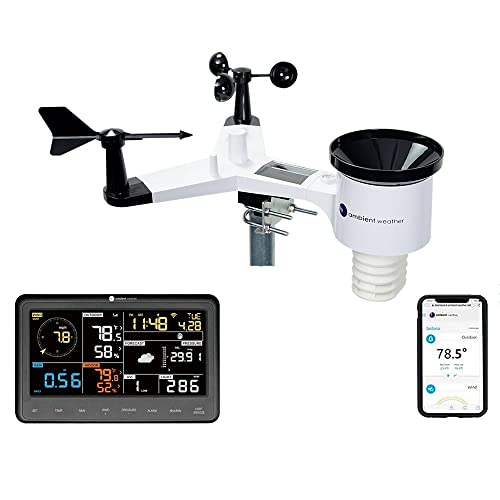
Ambient Weather WS-2902 Wi-Fi Smart Weather Station
Included for 'Best Home Weather Stations for Accurate Readings' as a relevant option in this category; details come from the product listing.
View on Amazon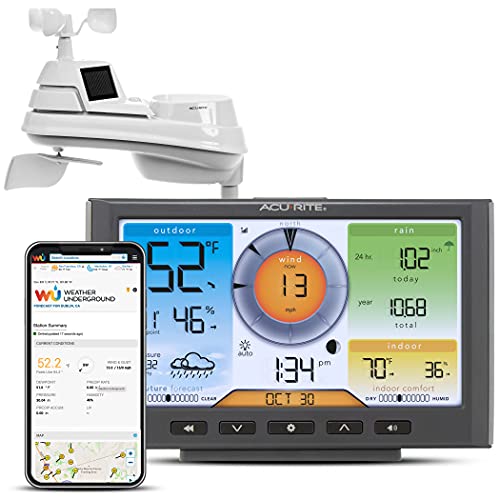
AcuRite Iris (5-in-1) Home Weather Station with Wi-Fi Connection to Weather Underground with Temperature, Humidity, Wind Speed/Direction, and Rainfall (01540M), Black
Included for 'Best Home Weather Stations for Accurate Readings' because the listing specifies Humidity and Wind Speed/Direction, details this guide uses to compare options.
View on Amazon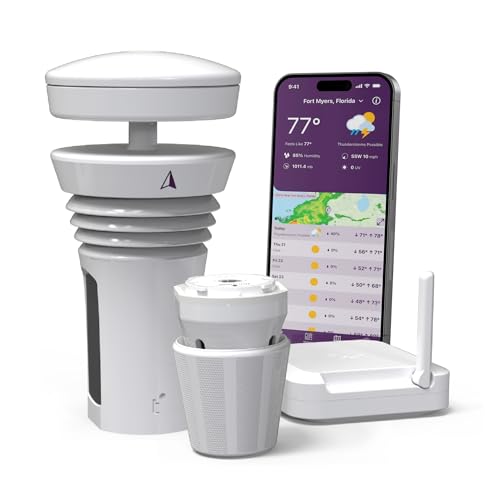
Tempest Weather Station with Built-in Wind Meter, Rain Gauge, and Accurate Weather Forecasts, Wireless, App and Alexa Enabled
Included for 'Best Home Weather Stations for Accurate Readings' because the listing specifies Rain Gauge and and Accurate Weather Forecasts, details this guide uses to compare options.
View on Amazon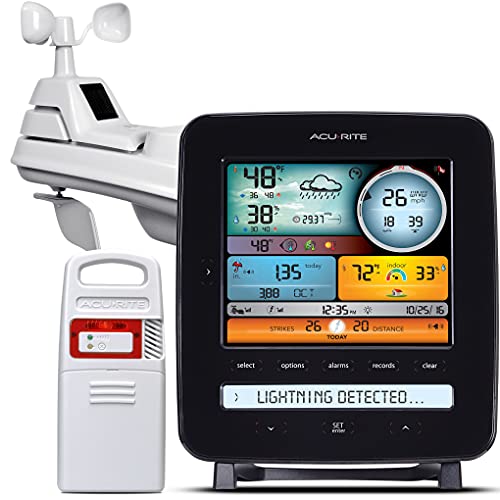
AcuRite Iris (5-in-1) Professional Weather Station with LCD Display and Lightning Detection (01022M)
Included for 'Best Home Weather Stations for Accurate Readings' as a relevant option in this category; details come from the product listing.
View on AmazonBefore buying, decide which measurements you will actually use. Indoor and outdoor temperature and humidity are useful for daily comfort. Rainfall helps with watering decisions. Wind speed and direction are more meaningful when the sensors can be mounted in an exposed position. Some stations also report barometric pressure, UV, or solar readings, but those features add value only if their sensors can be placed appropriately and the display explains the data clearly.
Compare the features that affect everyday use
Sensor range and obstacles
Manufacturers commonly state a maximum wireless range measured in open conditions. Treat it as a best-case figure, not a guaranteed indoor distance: exterior walls, metal siding, foil-backed insulation, and appliances can weaken the signal. If the outdoor sensor must be far from the console, look for a generous stated range and a return policy that lets you confirm reception at home. A station that supports extra sensors may be more useful than one with a bigger headline range if you want readings from several locations.
Indoor and outdoor measurements
Check the measurement list rather than assuming “weather station” means a full outdoor setup. Some products include only a temperature-and-humidity sensor; others have separate wind and rain instruments. A separate sensor gives more freedom to find a suitable position, but requires more mounting and maintenance. Multi-sensor assemblies can be simpler to install as one unit, though their placement may involve compromises between wind exposure, rain collection, and convenient access.
Display readability and app connectivity
A console should be readable from where you will use it. Compare digit size, viewing angle, backlight, and whether the most useful readings—usually indoor and outdoor temperature, humidity, and current conditions—are visible without switching screens. A bright color screen may be easy to scan but need continuous power; a simpler display can be easier to read at a glance and use less energy.
An app can add historical graphs, alerts, and remote access, but it also introduces setup and network dependencies. Confirm whether the console still shows readings when Wi-Fi is down, whether the app requires an account, and whether data history is stored locally or online. Check the maker’s current app support and compatibility with your home’s Wi-Fi before choosing a connected model.
Power, calibration, and maintenance
Battery-powered sensors are easier to place, but you will need to replace or recharge batteries; cold outdoor conditions can shorten battery life. Solar-assisted outdoor units reduce battery changes but may still use backup batteries and need a position with sufficient light. Consoles that require an outlet avoid frequent battery replacement, while backup batteries can preserve basic operation during brief outages.
Calibration options vary. Look for instructions explaining whether temperature, humidity, pressure, or rain totals can be adjusted, and whether corrections apply to the display, the app, or both. Calibration cannot compensate for a badly placed sensor. Keep the rain collector clear of debris, inspect mounting hardware, and compare readings periodically with a trusted nearby reference when possible.
Installation: allow room for the sensors to work
Plan the mounting location before ordering. For a typical Northern Hemisphere setup, a temperature sensor should be shaded and ventilated, away from sun-heated walls, paving, vents, and dryer exhaust. A common reference height for air-temperature measurement is about 5 feet (1.5 m) above ground over a natural surface. Follow the station’s manual if it specifies a different arrangement.
- Temperature and humidity: Use a shaded, ventilated position. Avoid enclosed porch corners and direct contact with masonry that heats in the sun.
- Rain: Keep the gauge level and unobstructed by roof edges, branches, or walls. Check it occasionally for leaves and insects.
- Wind: Mount as high and exposed as your property allows. A sensor near a fence or house measures local turbulence, not open-site wind.
- Console: Place it where the screen is easy to read and away from heat sources. Test wireless reception before permanently fastening outdoor equipment.
These reference points are practical targets, not a promise of official-grade observations; local buildings and terrain still affect results. A rooftop or pole installation may improve exposure but can require safe access, suitable brackets, and permission from a landlord or homeowners’ association.
Numbers to check before you commit
| Check | Useful target or planning figure | Why it matters |
|---|---|---|
| Wireless range | Compare the maker’s stated open-air range with your actual sensor-to-console path; allow extra margin for walls | Obstacles can reduce reception substantially |
| Temperature sensor height | About 5 ft (1.5 m) above ground is a common reference for shaded air-temperature readings | Ground heat and roof exposure can skew measurements |
| Wind exposure | Use the highest practical unobstructed position; standard observation sites often place wind instruments near 33 ft (10 m) | A low residential mounting cannot be compared directly with exposed-site wind reports |
| Rain gauge placement | Keep it level with open sky above and clear space around the collector | Nearby roofs and branches block or redirect rain |
| Console power | Allow for a nearby outlet if the screen needs continuous mains power; check whether batteries are backup or primary | Power design affects placement and outage behavior |
Which type is the best buy?
For simple household checks: Choose a basic wireless station with indoor and outdoor temperature and humidity, a clear console, and replaceable batteries. It is usually the least demanding option to install and maintain.
For gardening and rainfall tracking: Choose a station that includes a rain gauge and gives you a practical way to mount it level and clear of obstructions. Do not pay extra for wind readings if the only available position is sheltered.
For phone alerts and long-term records: Choose a Wi-Fi model with an app that shows history and lets you set useful alerts. Favor one that continues to display local readings if the internet connection fails.
For a large property or multiple rooms: Look for a system that supports additional sensors and verify how many can be paired, what they measure, and whether readings appear together on the console or app. This is often more useful than trying to stretch one sensor across a difficult layout.
In short, the best home weather stations are the ones whose sensors can be installed correctly and whose readings you can interpret at a glance. Compare the complete sensor package, real-world range expectations, screen and app behavior, power needs, calibration controls, and mounting requirements before choosing.