Key takeaways
- Check the exact refrigerator display message and model instructions before treating showroom mode as a fault or changing settings.
What's inside
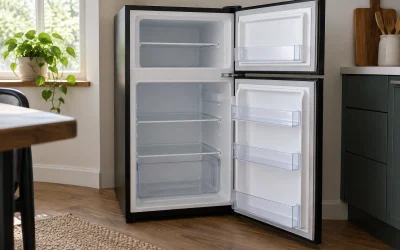
A refrigerator can have working lights and controls while its cooling system is disabled for a showroom display. Identify that mode from the exact model’s documentation before changing settings. A warm refrigerator is not automatically in demo mode, and a button combination intended for another model is not a general troubleshooting method.
Record what the display actually shows
Take a clear photograph of the control panel and copy the characters, spacing and icons into a note. Include whether the interior light works and whether the appliance was newly delivered, recently serviced or already in normal household use. Avoid shortening an unfamiliar message to “off” if that changes what appears on the screen.
Find the complete model number and the applicable market version of its manual. The control layout matters: similar-looking refrigerators can use different controls or procedures. If a support page separates models by production period or identifier, follow its identification instructions rather than guessing from the purchase year.
Use a documented example without generalizing it
LG’s US demo-mode guide explains that an O F F display can indicate showroom mode on the refrigerators it covers. It describes cooling being disabled while lights and the control panel remain active, and it separates procedures for different model periods. That is evidence for consulting the correct instructions, not a universal code or reset sequence for every refrigerator.
Keep three possibilities distinct in the record: a documented showroom mode, another identified operating setting, or an unresolved cooling problem. An illuminated panel only confirms that some functions have power. It does not establish normal refrigeration or identify the reason a compartment is warm.
| Observation or document | What to record | Decision it supports |
|---|---|---|
| Product identity | Complete model and relevant identifiers | Which support procedure applies? |
| Display | Exact characters, icons and photograph | Does the documented mode match? |
| Recent event | Delivery, setup, service or ordinary use | What context should support know? |
| Manual section | Source, version and relevant page | Is this an authorized user setting? |
| Action taken | Only the applicable instructed action | Can the result be traced? |
| Follow-up | Display result and manufacturer-directed checks | Normal operation confirmed or further help needed? |
Do not confuse changing the display with confirming cooling
If the exact manual provides a user procedure and it applies to the observed mode, follow the complete instructions. Record the result without repeatedly trying neighboring buttons. Do not enter undocumented service menus or perform an internet reset sequence merely because it uses the same brand name.
A changed display is one observation, not the entire commissioning check. Follow the refrigerator’s startup and temperature-verification guidance before relying on it for storage that requires refrigeration. Do not load a newly delivered appliance simply because its lamp turns on, and do not assume a control-panel setpoint is an actual measured compartment temperature.
Illustrative example: showroom unit versus household fault
Imagine a household receives a former showroom refrigerator. Its lights turn on and the panel shows a message that matches the exact model’s documented display mode. The owner saves the model information, checks the applicable procedure and follows the authorized setup instructions. Their record then distinguishes the mode change from the subsequent cooling confirmation.
In a second fictional case, a refrigerator that has been used normally develops a different message and warms up. The owner cannot match that message to demo mode. Repeating the first household’s button sequence would not be a justified diagnosis. Instead, the owner records the actual code and uses the manufacturer’s fault-support route.
Neither example determines whether food already in a warm refrigerator is suitable to keep. That is a separate food-storage question requiring appropriate official guidance; it cannot be answered by identifying a panel setting or making the display look normal.
Prepare a useful support request
Provide the model, display photograph, delivery or service context, and a short sequence of observations. Say what has already been changed, if anything. “Lights work; this exact message appears; cooling is unconfirmed” gives support a clearer starting point than “it needs a reset.”
Keep private account and payment information out of photographs. Use the manufacturer’s official support channel or the seller’s installation service when the correct instructions remain unclear. Do not remove covers, work on electrical components or move a heavy appliance to inspect inaccessible parts as part of identifying a display mode.
Add the result to the appliance handover record
For a new or ex-display purchase, ask the installer to explain the normal display and demonstrate the intended user controls. Keep the applicable manual with the installation record. Note any unresolved setup issue before treating the handover as complete, following the seller’s process.
The finished record should state why showroom mode was identified, which instructions applied and what follow-up confirmed normal operation. If one of those entries is missing, preserve the uncertainty and obtain help. The goal is a documented operating state, not a collection of button combinations to try whenever a refrigerator behaves unexpectedly.