Key takeaways
- Separate dishwasher app alerts, remote-start permission and local operation. Build a model-specific control worksheet and a practical offline plan.
What's inside
A notification is not the same as permission to start
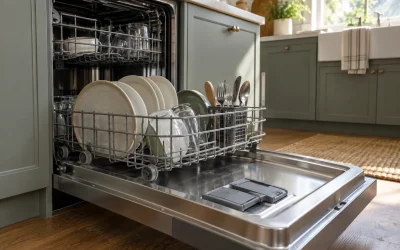
A dishwasher app can report a status without being allowed to start a wash. Remote-start authorization, the machine’s local controls, the phone’s notification permissions and the network connection are separate parts of the setup. Check each one before deciding whether an app feature will help your household.
The useful question is not simply whether a dishwasher has Wi-Fi. Ask which tasks remain available at the appliance, which require the app and which depend on a setting that someone must enable locally. Write down the exact model and country version before comparing features.
Separate four kinds of control
Local operation means using the dishwasher’s own buttons or display. Remote operation means sending a command through a connected service. Status information is a report about the appliance. Notifications are messages delivered to a phone or another device. These categories can overlap without being interchangeable.
For example, a displayed completion status and a push alert are different experiences. A person may open an app and see information even though their phone did not show an alert. That observation alone does not explain whether the cause is a phone setting, connectivity or an appliance configuration.
Likewise, an app button being present is not proof that the machine currently accepts its command. Treat the appliance’s own state and model instructions as part of the decision. Do not repeatedly send commands or invent a reset sequence because a control is unavailable.
Read the remote-start setting precisely
Home Connect’s dishwasher remote-start explanation distinguishes manual and permanent remote-start settings. In the manual arrangement it describes, opening the dishwasher door after activation deactivates that authorization. The page also explains that permanent remote start does not remove the ability to start a cycle at the appliance.
This is a documented example, not a claim that every dishwasher offers both settings or uses the same menu. Check the instructions for the model and software available in your region. Record the manufacturer’s names for the settings so household members do not confuse manual remote authorization with ordinary local washing.
Keep safety interlocks intact. If a required condition is not met, follow the normal instructions rather than trying to bypass it. A connectivity convenience should not change how you load the machine, close its door or respond to a fault.
| Task | What to verify | Record for your model |
|---|---|---|
| Start locally | Normal panel sequence | Available programs and required conditions |
| Start remotely | Authorization and connected-service requirements | Setting name and what cancels it |
| Read status | Where the information appears | Panel, app or both |
| Receive completion alert | Supported alert and phone permission | Which household device receives it? |
| Operate without connection | Manufacturer’s offline explanation | Local tasks retained and app tasks unavailable |
| Respond to a fault | Official error guidance | Support route and exact message |
Illustrative example: an added plate changes the setup
Imagine a household using the manual remote-start arrangement described above. One person loads the dishwasher and enables remote start. A second person opens the door to add a plate before the planned remote command. The original authorization no longer applies in that documented arrangement.
The useful household note is therefore not “the app is unreliable.” It is “door opened after manual authorization; follow the model’s normal activation instructions again if remote starting is still wanted.” Record the sequence and actual state before changing settings.
This fictional example does not diagnose an error or prescribe a button sequence. It shows how an ordinary action can explain a difference between expected and permitted control. If the state still disagrees with the manual, keep the exact message and ask support.
Plan for a missing notification
Choose one person or device to receive the alerts you actually need. Check that the app’s supported notification type is enabled and that the phone permits it, using the service’s instructions. Avoid using a completion message as the only way to establish whether dishes are ready to unload.
When an expected alert is absent, first record what the appliance itself shows and whether the app has current information. Note the time and the specific missing message. Do not assume that a delayed message means the wash failed, or that an old status guarantees the machine’s present state.
Make a simple fallback plan: use the normal local display and the operating instructions when the connected features are unavailable. Verify that plan from the exact manual rather than assuming every program or setting remains identical offline.
Compare features by the job they save
A household that mainly wants a completion reminder may value reliable status visibility more than remote starting. Another may want to select an allowed program remotely after loading. Write the intended task beside each feature instead of giving every connected function equal importance.
Save the control worksheet with the model manual and update it when the app or appliance settings change. The best outcome is a shared understanding of who loads, who authorizes, who starts and who checks completion. That makes the connected features understandable without turning an ordinary dishwasher into a trial-and-error settings project.